

Profile Icon:
Your profile icon consists of your initials.

Accessing Your Profile:
Access your user profile by clicking on the profile icon located at the top right corner of your screen.
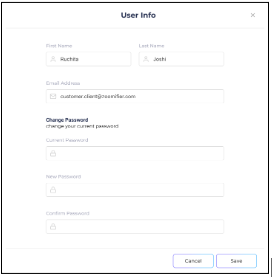
Profile Information:
Your user profile includes details such as your First Name, Last Name, and your email address, which serves as your username.
Password Management:
Get quick access to change your password directly from your profile, ensuring your account stays protected.
