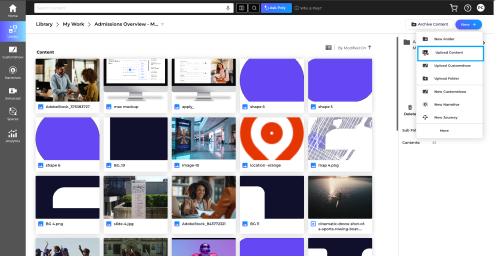

Image Optimization:
Optimizing images before uploading them to CustomShow helps presentations load faster and display correctly.
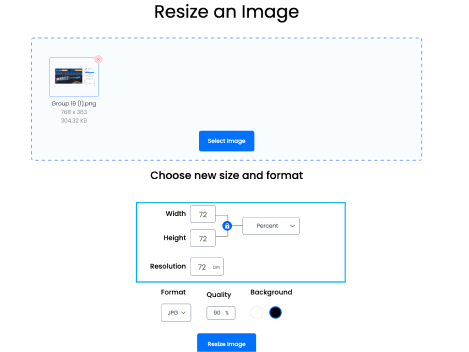
Image Resize Tool can be used to reduce image dimensions and file size without significantly affecting quality. For best results, use PNG images, set the resolution to 72 DPI, and ensure image dimensions do not exceed the slide size.
-
1.Convert images to PNG format whenever possible. If your image is a JPEG, JPG, HEIF, or TIFF file, save or export it as a PNG. Renaming the file extension to .png does not convert the image.
-
2. Set the image resolution to72 DPI.
-
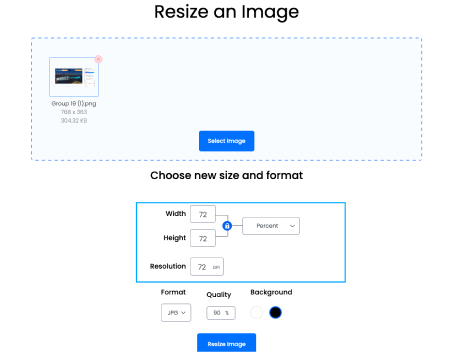
3. Check the image dimensions and ensure they are not larger than the slide size.
-
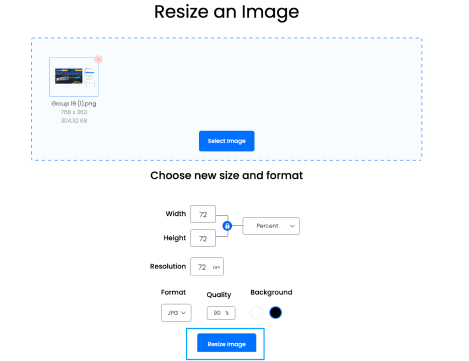
4. Save the optimized image

-
5. Upload the image to CustomShow.