

Carousel:
- Carousel lets you present multiple images or videos in one interactive frame on a slide. It is useful when you want to show a sequence of visuals without crowding the slide with separate media blocks. You can choose different layout styles, control how media moves, and decide whether viewers see indicators or open items in fullscreen.
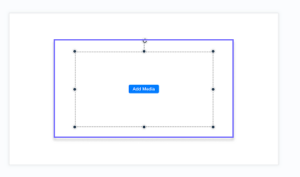
- 1. Go to Media > Add Carousel from the top ribbon. A new carousel will be added to the slide.
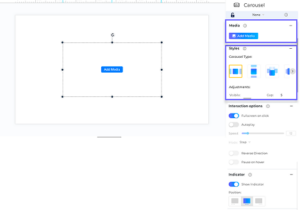
- 2. Select the carousel on the slide to open settings in the right panel. You will see:
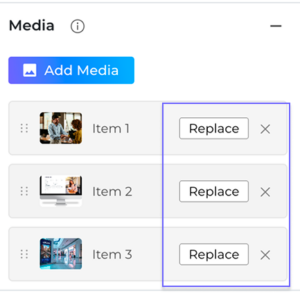
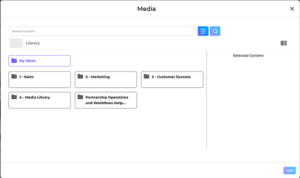
- 3. In the Media section, click Add Media. Select images or videos to add to the carousele.
- 4. Drag media items to change their order.
- 5. Use Replace to change media or remove items you no longer need.
- 6.In Styles, choose a carousel layout:
- 7.Adjust layout settings such as:
- 8.Open Interaction Options and customize:
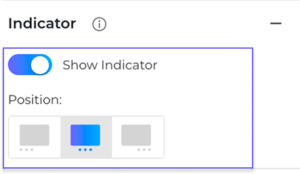
- 9.Turn on Show Indicator if you want navigation dots.
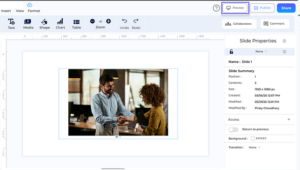
- 10.Preview the slide to check carousel behavior and navigation.
- Add at least one media item before using the carousel.
- Autoplay settings become available only when Autoplay is enabled.
- Indicator position depends on the carousel layout.
- Navigation arrows appear during preview when autoplay is off.
.png)
- . Media
- . Styles
- . Interaction Options
- . Indicator
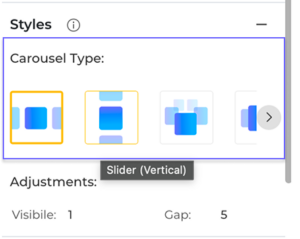
- . Slider
- . Wheel
- . Showcase
- . Fan
- . Drum
- . Expandable Gallery
- . Stacked Cards
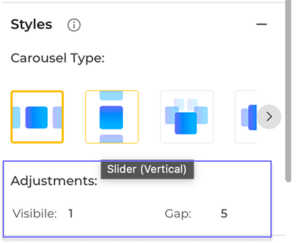
- .Width
- . Height
- . Visible Items
- . Radius
- . Gap
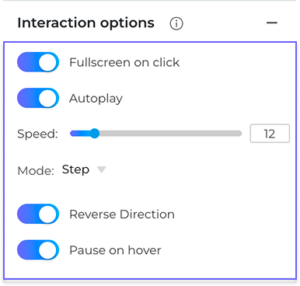
- .Fullscreen on click
- . Autoplay
- . Reverse Direction
- . Pause on Hover
Tips & Notes
FAQ
Why is my carousel showing a blank area after adding it?
A new carousel starts without media. Add one or more images/videos in the *Media* section to display content.
Why are some controls disabled in Interaction options?
When *Autoplay* is off, autoplay-related controls (like speed and direction behavior) are intentionally disabled.
Why can’t I set the indicator to left/right in some layouts?
Vertical layouts use *top/center/bottom* positions instead of left/center/right.
Why can’t I set a very high Visible value in every layout?
Each layout enforces safe limits for *Visible* based on carousel type and media count, so unsupported values are adjusted automatically.
Why don’t I always see previous/next arrows on the carousel.
Arrows are primarily shown in preview/viewer mode when autoplay is off and the carousel has media. In edit mode, behavior can differ.