

- 1.Present Content in Digital Library
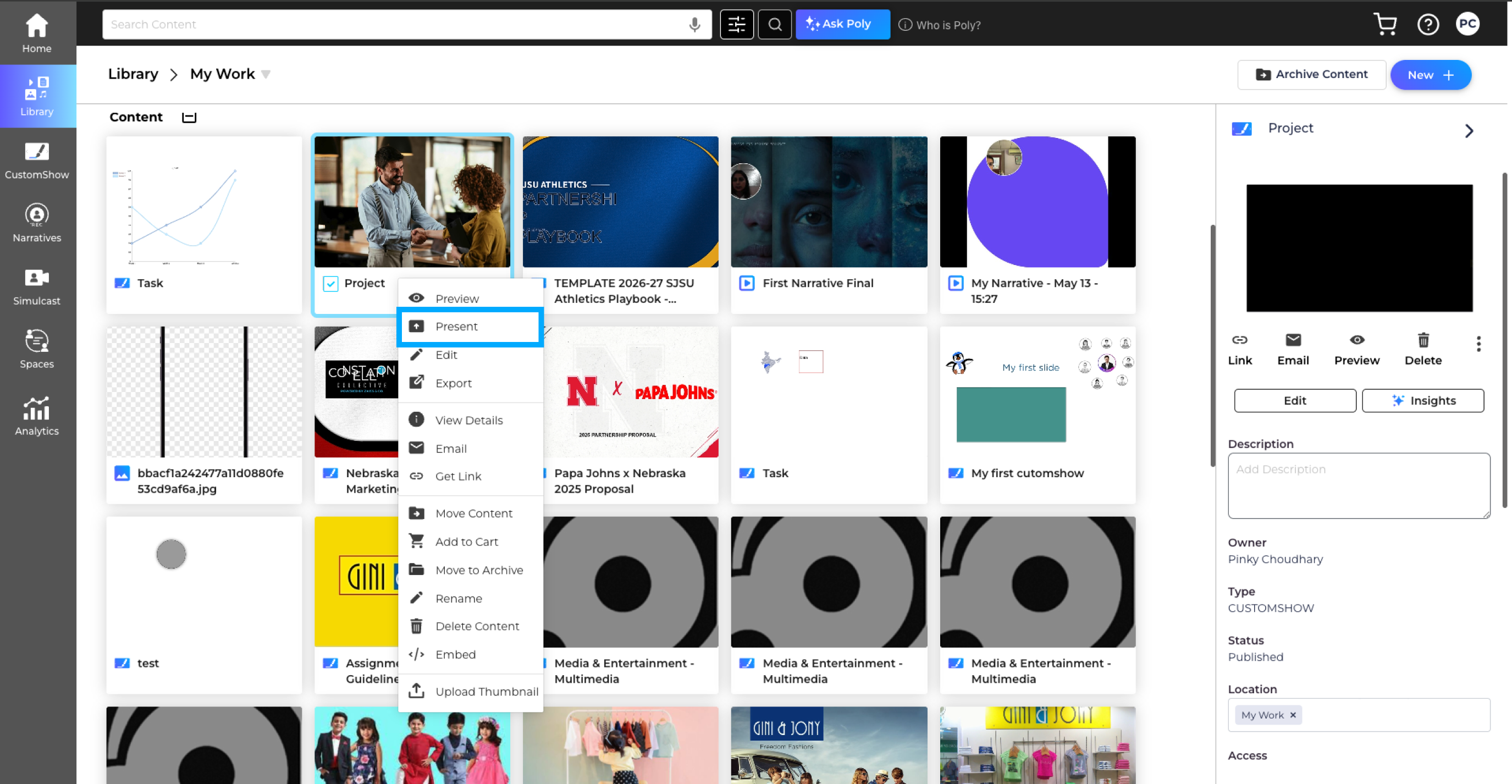
- 1.Find the CustomShow or PDF you want to Present.
- 2.Click on Present.(see image below).
- 3.Your CustomShow or PDF will open in a pop-up.
- 4.Click on the Add Attendees button..
- 5.Enter the email address for your audience.
- 6.If the email address is present in the Contact List, you see the suggestions from the existing contacts when you start typing.
- 7.If the email address is not present in your Contact List, you will see a message ‘Contact not Found’, click yes to add the email address in your Contacts.
- 8.You can remove the email address anytime by clicking on the Clear button.
- If you present another presentation in the same session, the email address field will be auto populated.
- You can track the attendees engagement time under Presentation Analytics.
You can present a piece of content in Zoomifier. Navigate to the CustomShow or PDF and present it.
Tips & Notes