

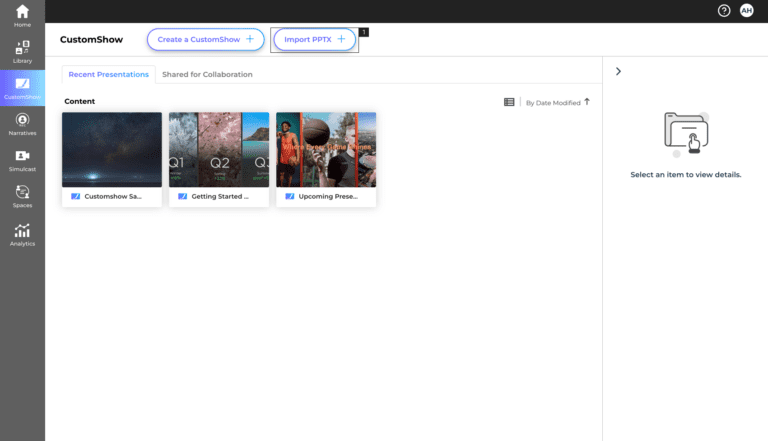
- 1.On the CustomShow Landing page, click ‘Import PPTx’ (#1)
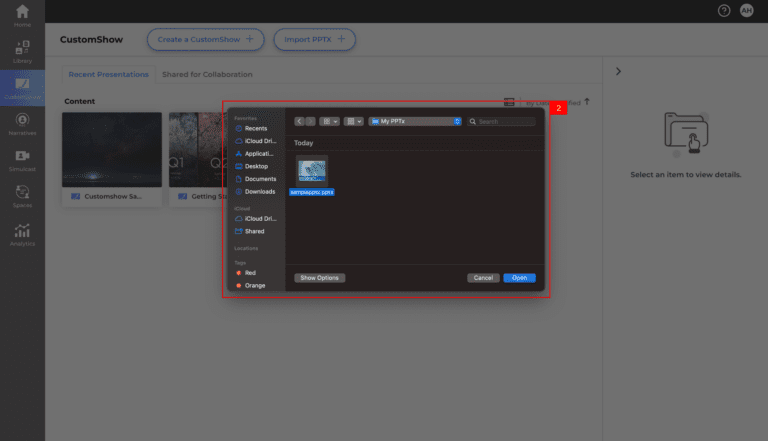
- 2.Choose the PPTx file from your desktop and click ‘Upload’. (#2)
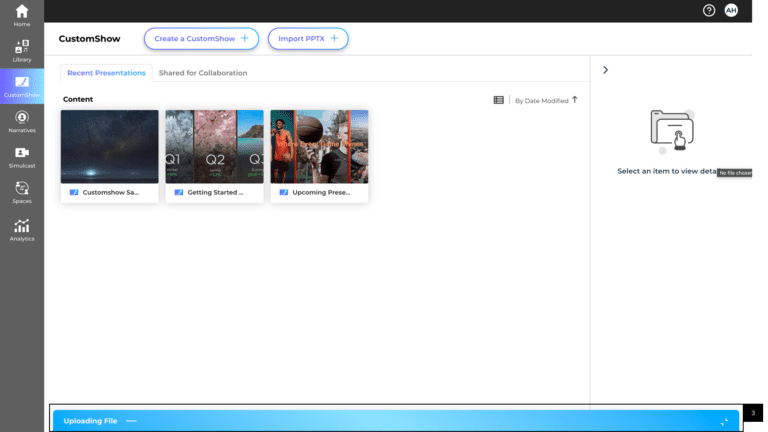
- 3.You can track the progress of uploading with the loading bar (#3)
- Once uploaded the conversion will begin. It will take a few seconds to a minute to convert, depending upon the size of the presentation and the elements on each slide.
- You’ll receive an email when the conversion is finished, and the presentation is ready to use.
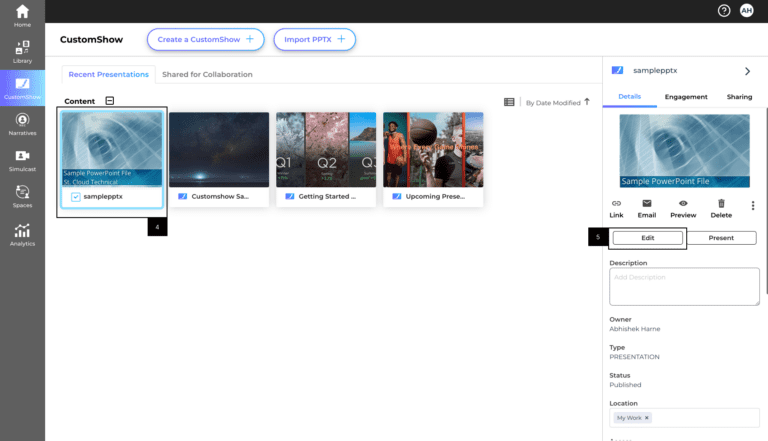
- Once presentation is successfully converted, the presentation will be available in CustomShow (#4)
- 4.Double click on the presentation to preview. (#4)
- 5.Select the presentation and click ‘Edit’ to open the presentation in the editor. (#5)
- If you’re using CustomFonts, upload the Fonts of CustomShow before uploading the PPTx. Fonts that are not available in your CustomShow editor will default to Arial.
- All the media files of the PowerPoint will be cataloged and will be available in user’s ‘My Work’ folder in the ‘Media Library’
- Special charts in PowerPoint will be converted into images.
Import PPTX Button
For best results
Tips & Notes