
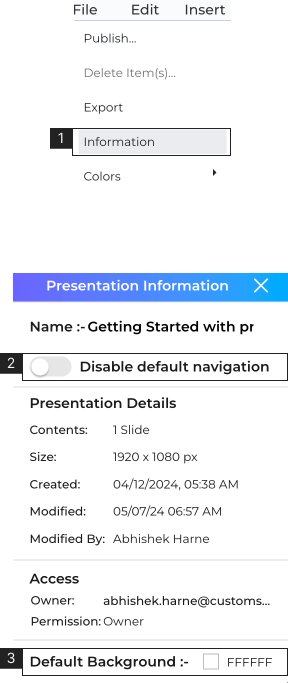
- 1. Navigate to ‘File’ > Click ‘Information’ (#1).
- 2. Toggle for ‘Disable Default Navigation’, when turned ‘ON’ the behavior of the normal navigation will be disabled.
- 3. Change the default background of all the slides in the presentation. Learn More about Fill.
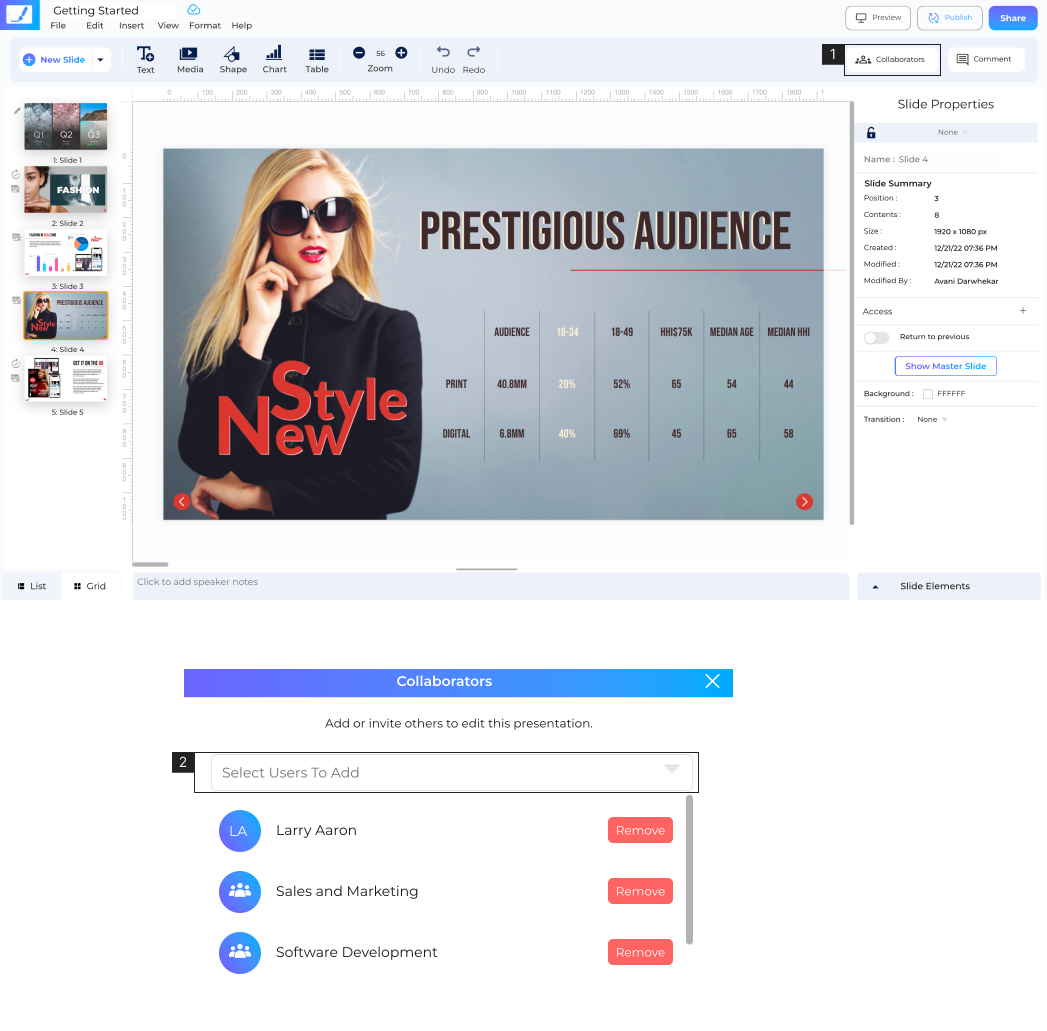
- 1. Click ‘Collaborators’ (#1).
- 2. Click (#2) to add users to collaborate on the presentation. Collaborators must be users in your account.
Presentation Info
Collaborators
Note:
- For the user you’ve added as a collaborator the presentation will show up on the CustomShow landing page in the ‘Shared for Collaboration’ tab.