- Branding
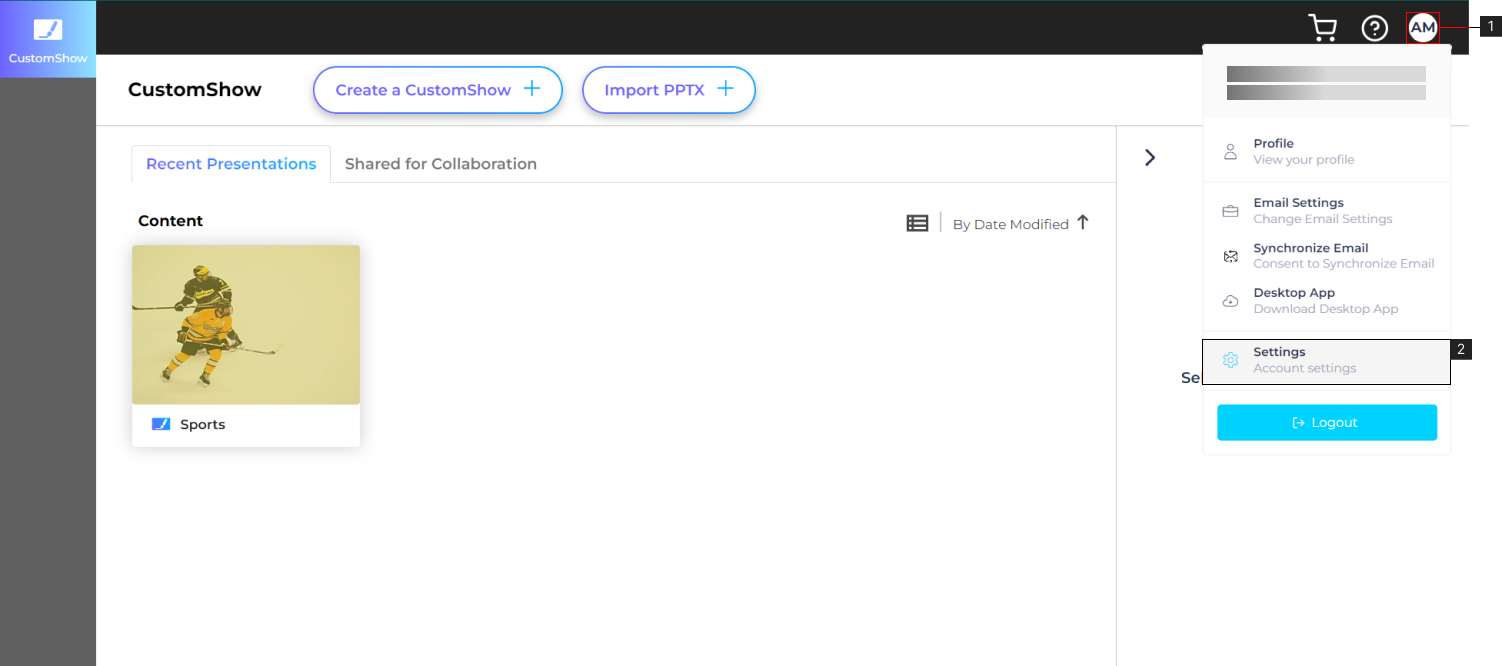
- 1. From the CustomShow landing page, navigate and click on your profile (#1)
- 2. Click Settings (#2).
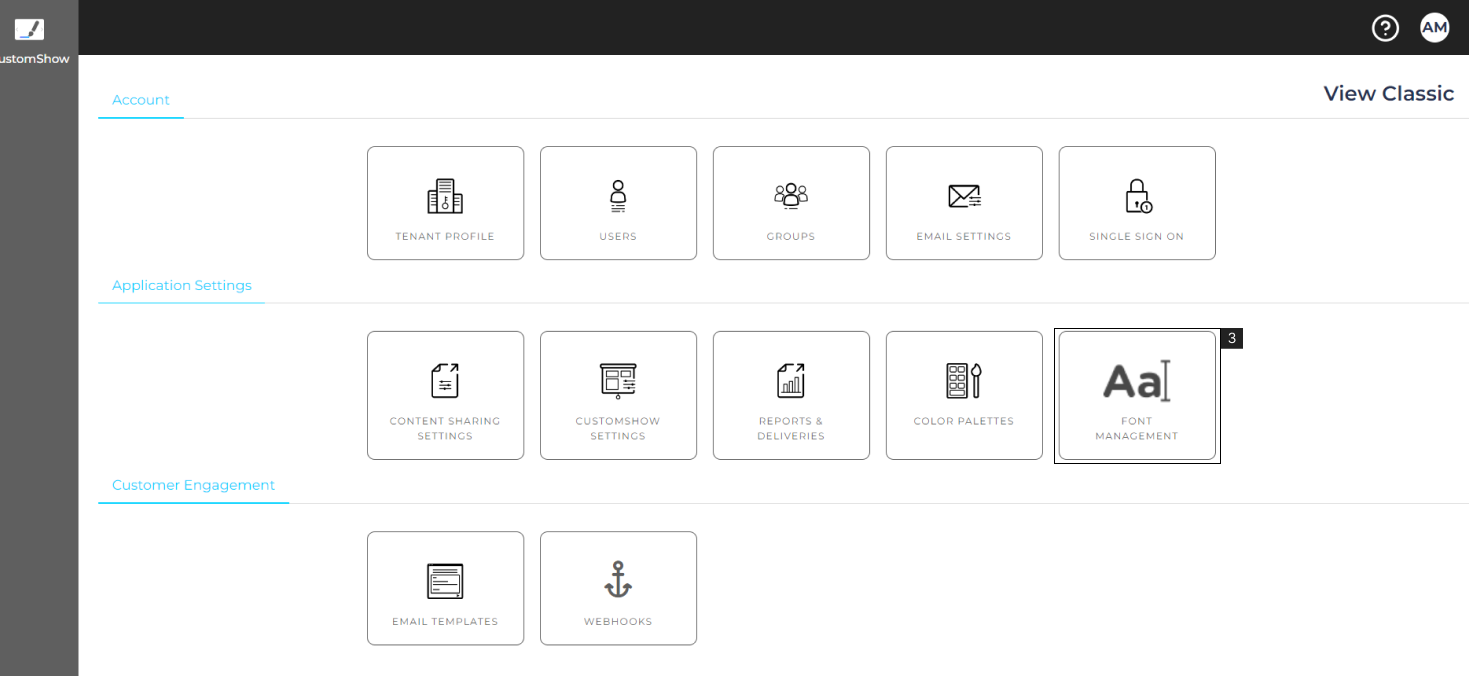
- 3. Click ‘Font Managament’ (#3)
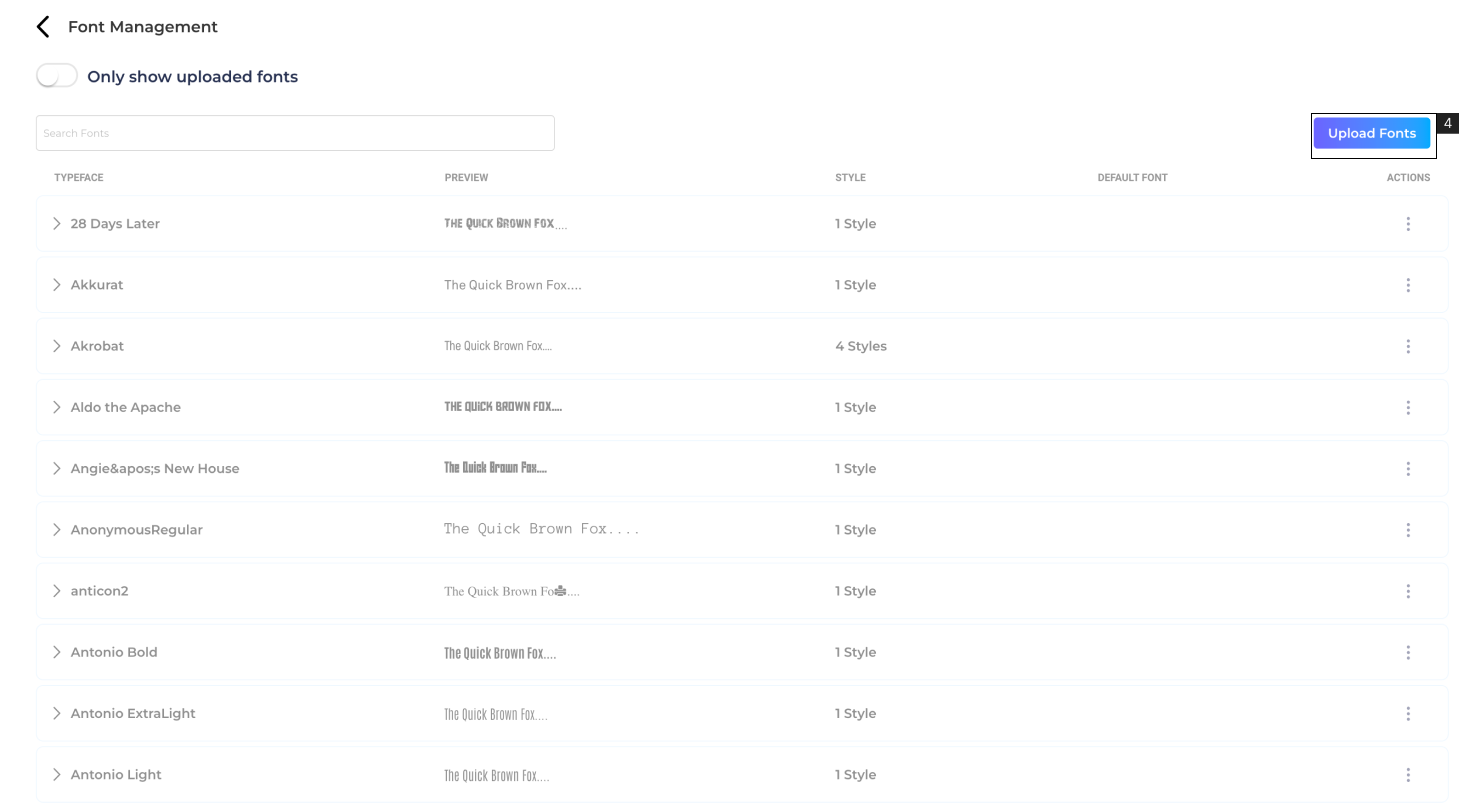
- 4. Click ‘Upload Font’ (#4).
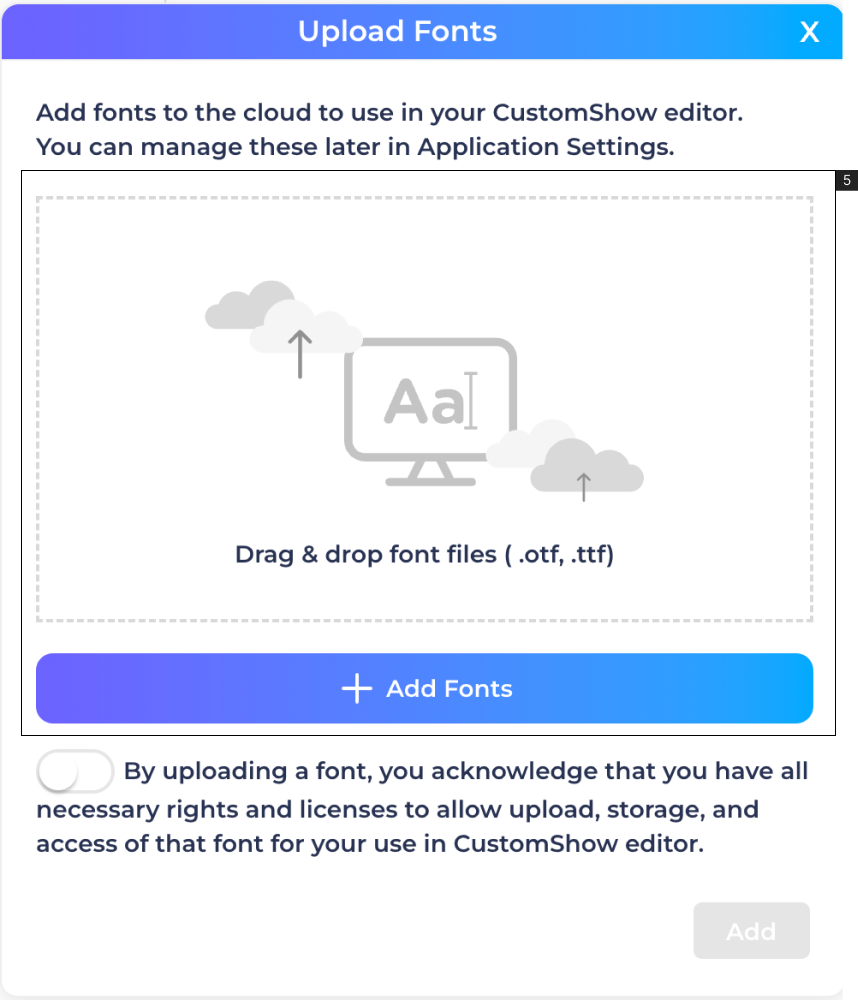
- 5. Either Drag and Drop the Font or click ‘Add Fonts’, select the Font File from the desktop, and click ‘Add’ to start uploading.