
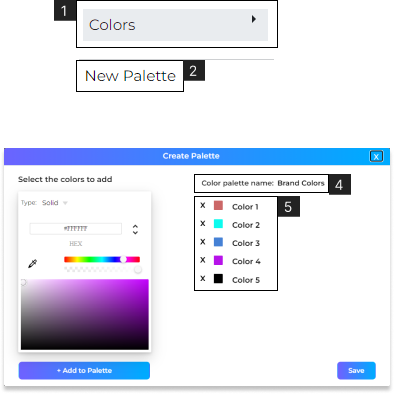
- Save your Brand’s color palette for easy access in ‘Fill’.
- 1. Navigate to File > Colors (#1).
- 2. Select Bullet Appearance.
- 3. Use the color picker to select the color/gradient you want, and click ‘Add to palette’.Learn more about Fill.
- 4. Click to add a ‘Name’ to your palette.
- 5. View or edit the color palette.Click on Save to save the color palette.Navigate to File > Colors (#1) > Click ‘Edit’ to modify any saved color palette.